
index.md 1.8 KB
title: "Building a Desktop LLM App with cpp-httplib" order: 0
Have you ever wanted to add a web API to your own C++ library, or quickly build an Electron-like desktop app? In Rust you might reach for "Tauri + axum," but in C++ it always seemed out of reach.
With cpp-httplib, webview/webview, and cpp-embedlib, you can take the same approach in pure C++ — and produce a small, easy-to-distribute single binary.
In this tutorial we build an LLM-powered translation app using llama.cpp, progressing step by step from "REST API" to "SSE streaming" to "Web UI" to "desktop app." Translation is just the vehicle — replace llama.cpp with your own library and the same architecture works for any application.
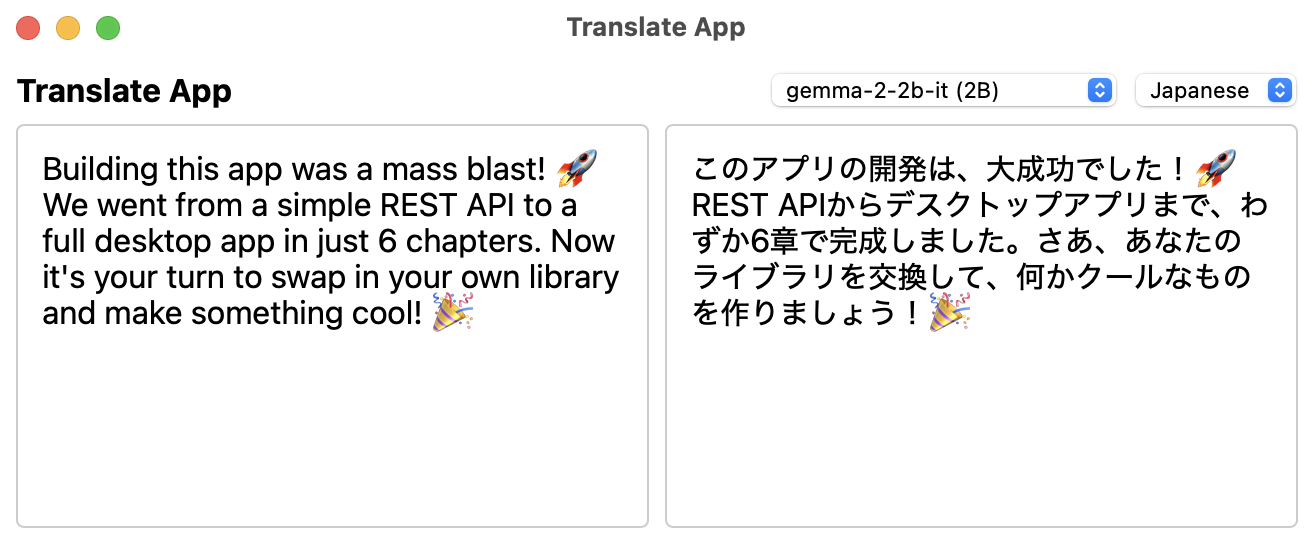
If you know basic C++17 and understand the basics of HTTP / REST APIs, you're ready to start.
Chapters
- Set up the project — Fetch dependencies, configure the build, write scaffold code
- Embed llama.cpp and create a REST API — Return translation results as JSON
- Add token streaming with SSE — Stream responses token by token
- Add model discovery and management — Download and switch models from Hugging Face
- Add a Web UI — A browser-based translation interface
- Turn it into a desktop app with WebView — A single-binary desktop application
- Reading the llama.cpp server source code — Compare with production-quality code
- Making it your own — Swap in your own library and customize